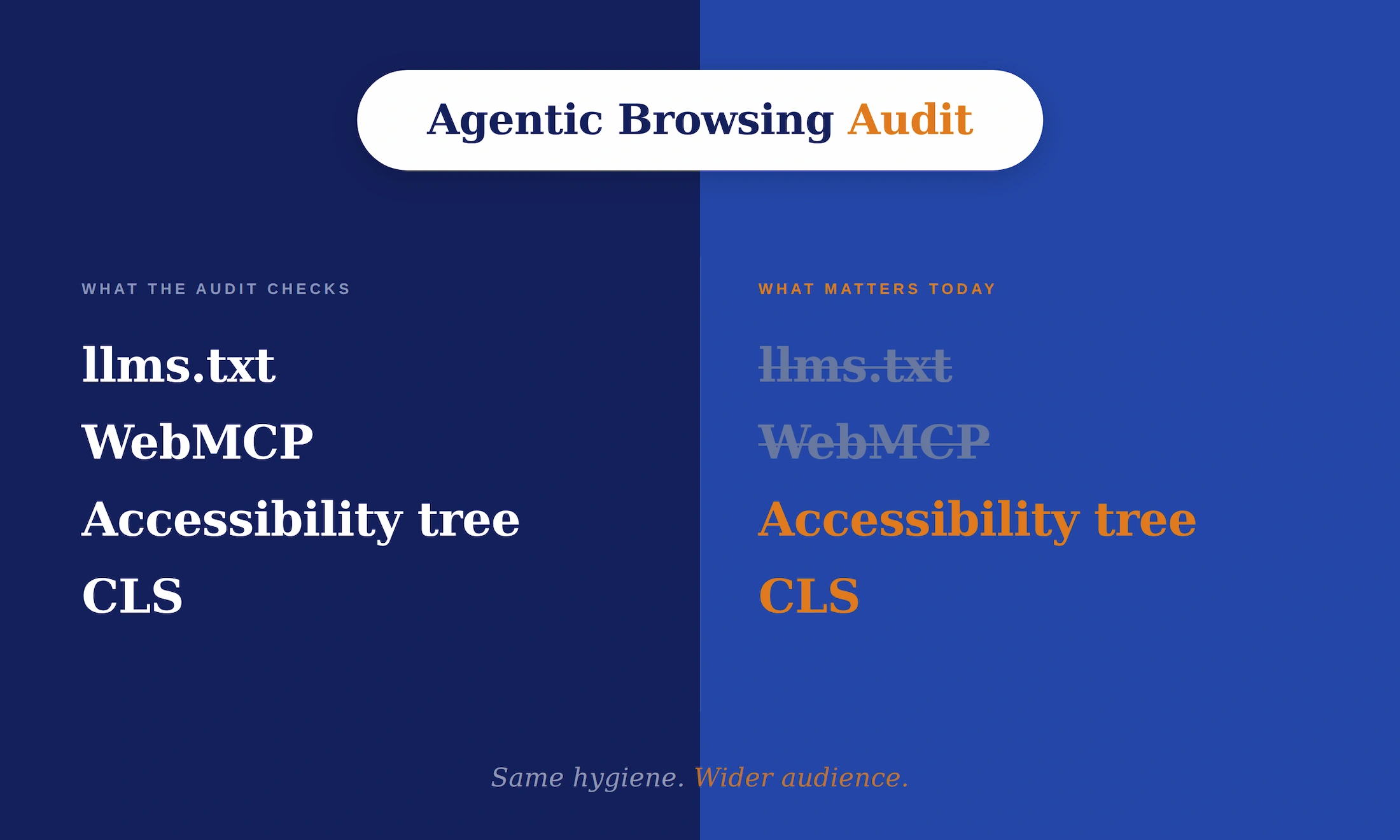
In May 2026, Google quietly added a new category to Lighthouse, the audit tool that sits inside every Chrome installation. It is called Agentic Browsing, and it scores how prepared your site is for AI agents that will read, navigate, and act on it.
It is also experimental, slightly contradicts other Google guidance, and most websites will fail large parts of it today. So before you panic and rebuild anything, let’s look at what it actually checks, what it means, and what (if anything) is worth doing about it now.
What it is, plainly
Lighthouse already grades your site on Performance, Accessibility, SEO and so on. The new category, Agentic Browsing, adds a different kind of check: not how a human experiences your page, but how an AI agent does.
A few things to know up front:
- The category is marked experimental. It is based on proposed standards, not finalized ones.
- It does not give you a 0 to 100 score. You get a fractional ratio (how many checks passed) plus pass/fail per audit.
- Results can fluctuate between runs, especially if your site registers tools dynamically via JavaScript (the audit takes a snapshot, and JS timing affects what it sees).
- It is rolling out gradually. On stable Chrome the category may not be visible in the UI yet, even with the chrome://flags/#enable-webmcp-testing flag enabled. Canary or Beta is currently the cleanest way to see the full report.
Four things get checked:
- presence of an llms.txt file,
- WebMCP tool registration,
- accessibility tree integrity, and
- Cumulative Layout Shift (CLS).
The contradiction nobody is talking about loudly enough
Here is the part that makes this audit interesting, and worth thinking about critically.
On May 15, 2026, Google Search Central published its official guide for generative AI features. In the mythbusting section, it said you do not need llms.txt to appear in AI search. A few days later, Lighthouse 13.3 shipped with an Agentic Browsing audit that, among other things, checks for the presence of llms.txt.
John Mueller has been blunt on llms.txt elsewhere, comparing it to the long-abandoned keywords meta tag and noting that no major AI service has confirmed using it. When Lily Ray asked him why Google’s own developer properties publish llms.txt files despite Search saying it is not needed, his answer pointed to a specific use case: AI coding agents can read developer documentation more efficiently when there’s a clean Markdown version of the reference page available.
That is the real distinction worth holding onto. Two different teams at Google are describing two different jobs. Search is talking about ranking and AI search visibility. Lighthouse is talking about browser agent readiness, mostly for developer-tool agents reading documentation.
The Lighthouse audit is also lenient about llms.txt itself. If you do not have the file, it is marked Not Applicable, not Fail. It only fails when the server returns a real error trying to fetch one.
The practical read: llms.txt being in Lighthouse does not retroactively make it useful for SEO or for AI search visibility. If you build for developers and want your docs read efficiently by coding agents, llms.txt has a real (narrow) use case. If you run an ordinary business site, there is still no public evidence that it moves anything that matters.
The parts that are actually worth your time
Set llms.txt aside. The other three audits are where this category gets useful.
1. Accessibility tree
Agents do not “see” your page. They read its accessibility tree, the same structured map that screen readers use. Lighthouse checks whether interactive elements have proper names and labels, whether roles and parent-child relationships are valid, and whether content is hidden from the accessibility tree while being interactive.
In practice, this means: if your “Request a Quote” button is a styled <div> with no label, an agent has no idea it is a button. It cannot click it on a user’s behalf. A site that fails accessibility audits today is one that an agent cannot operate tomorrow.
This work has been worth doing for twenty years for accessibility reasons alone. Now there is a second reason.
2. Cumulative Layout Shift
CLS already matters as a Core Web Vitals metric. It measures how much your page jumps around as it loads.
For an agent, CLS is more than annoying. An agent identifies a target element on the page, then attempts to interact with it. If the layout shifts between those two moments (a late-loading image pushes content down, a cookie banner appears, a font swap resizes text), the element the agent expected is not where the agent looks. The task fails. Agents do not retry the way humans do. They abandon and move on.
The threshold matters here. A human reader tolerates a small CLS without noticing. An agent doing programmatic clicks does not have that leniency. A CLS score that is “good enough” for Core Web Vitals can still break agent interactions, especially on conversion forms and checkout flows where the shift happens during the click window. Fixing CLS for humans helps, but if you care about agents, the target is stricter: stability during interaction, not just stability on load.
3. WebMCP
This is the most genuinely new piece. WebMCP is a proposed standard, co-authored by Google and Microsoft, that lets a website expose specific actions (a search form, a booking flow, a checkout) as structured tools an agent can call directly. Instead of an agent guessing which button to click, you tell it explicitly: this form takes these inputs and does this thing.
It is also early. The origin trial expands in Chrome 149, the spec is still moving, and most sites that run the audit today will see WebMCP marked Not Applicable. That is not a problem to solve right now. It is something to watch.
The honest read: if you are about to rebuild a checkout, booking, or lead form anyway, it is worth understanding WebMCP before you do. If you are not, there is no urgency yet.
“But who is actually using any of this right now?”
Fair question, and the honest answer is: not many production systems, yet.
The agents reading documentation and calling structured tools at scale today are mostly coding assistants (Claude Code, Cursor, similar). They read developer docs, not your average commercial site, which is exactly why the llms.txt use case is real for technical companies and largely irrelevant for the rest.
The agents that would eventually browse a business site, fill in a contact form, complete a checkout, are a different category: ChatGPT’s agent mode, Claude’s computer use, Gemini agents, browser-based agents Google has been previewing in Chrome. These exist, but they are not yet driving meaningful traffic for most sites. That is the audience the Agentic Browsing audit is preparing you for, not the coding assistants.
So you are not optimizing for traffic that exists today. You are optimizing for the infrastructure Google, OpenAI, Anthropic, and Microsoft are clearly building toward. The question is not whether you have time. It is whether the work you would do anyway (accessibility, stable layouts, clean semantics) is worth doing well now, knowing the audience for it is widening.
Why this category exists in the first place
Step back from the individual checks and look at what Google is doing.
Sundar Pichai recently said Search, Gemini, and agents will converge into one product, and that Google is “laying a lot of the primitives” for agents to work end to end. He also said low-quality clicks are being filtered out by design, and that raw traffic volume is becoming a weaker signal of value (some of the interviews: here and here).
Read in that context, Agentic Browsing is not really a new SEO category. It is Google publishing its checklist for what makes a website operable in the world it is building. The fact that there is no 0 to 100 score is the tell. Google is not yet ready to say “you need a 90 here.” It is saying: here are the signals, watch them, fix what you can.
What this changes about how I run audits
It is tempting to treat “AI optimization” as a separate department, full of new files and new tags and new acronyms. The Agentic Browsing audit, read carefully, says something quieter and more useful. The things that make a site work for agents are mostly the things that make a site work for humans with accessibility needs, plus stable layouts during interaction, plus clear semantic structure. The same technical hygiene, with a wider audience.
What changes is the prioritization. Plenty of teams already have a backlog with “improve accessibility” and “fix CLS” buried at the bottom for years. Agentic Browsing is the reason to move them up, and the reason to ignore the noisy stuff (llms.txt for ordinary business sites, WebMCP if you are not rebuilding a transactional flow). The work itself is not new. Knowing what to do first, and what to deliberately not do, is the part that matters.
That is the lens I bring to audits. Cut what is hype, do the work that compounds. Most of what this audit measures is work that pays off regardless of how the agentic web evolves. A smaller part is experimental signal. Treat it that way.
If you want a clear, prioritized read on where your site stands as search shifts toward AI and agents, including what to ignore so your team does not burn time on the wrong things, that is what I do.